 spaceA
Short-Form Video Gear for Beginners: Phone, Tripod, Light, Mic
 Kang·Published ·Updated ·7 min read
Key Takeaways
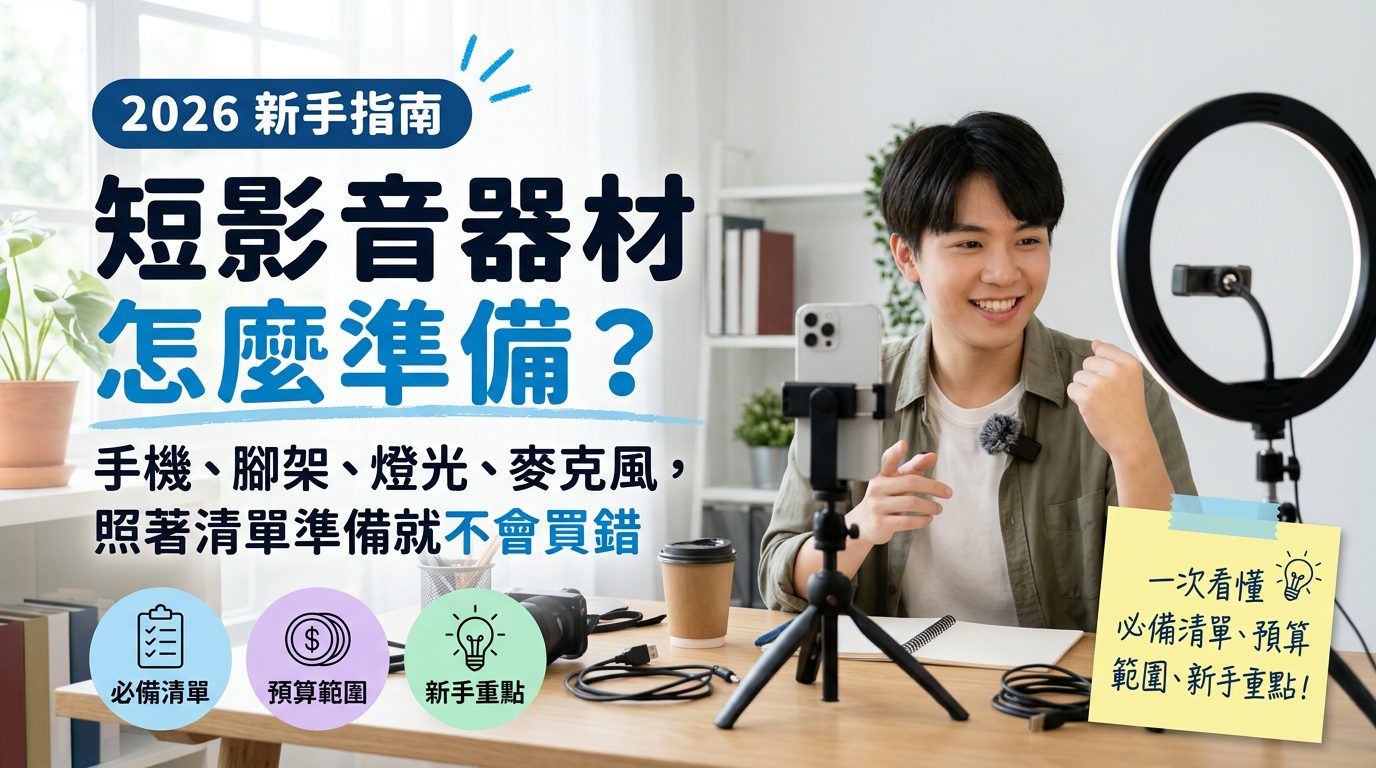
You don’t need to buy a full professional studio setup to start short-form video marketing. The real starter essentials are only four categories: your phone (or an existing camera), a stabilizer or tripod, a fill light, and an external microphone. These four items solve the three most common reasons viewers swipe away—unstable footage, uneven lighting, and unclear audio. Editing software, external power, and memory cards belong to a second stage of purchases you can add later; you don’t need to have everything on day one.
About the Editor
AI workflow developer by day; formerly an Instagram copywriter and marketing copy editor at a jewellery company. Asks AI before ordering anything, then opens five or six tabs to compare line by line, and reads real user reviews on Threads.
Newbie Gear Checklist Overview
| Category | What to prepare | Why it’s necessary | Approximate budget range |
|---|---|---|---|
| Shooting device | A mid-to-high-end phone from the past 2–3 years (no need to buy a separate camera) | Current phones have sufficient image quality and audio to meet short-form platform requirements. Testing your style with existing equipment is more cost-effective than buying a camera first. | NT$ 0 (use your current phone) |
| Stability | Phone tripod (for fixed shots) or phone gimbal (for walking shots) | Shaky footage is one of the fastest reasons viewers swipe away. A tripod is enough for static content; only get a gimbal if you need moving camera work. | NT$ 300–3,000 |
| Lighting | Color-temperature-adjustable LED panel or ring light | Indoor natural light is unstable; facial shadows make content look amateur. A fill light keeps brightness consistent at any time. | NT$ 500–2,500 |
| Audio | Lavalier microphone or directional (shotgun) microphone | The phone’s built-in mic picks up environmental noise. Viewers tolerate poor audio even less than poor video; this is the item newbies most often overlook. | NT$ 500–3,000 |
| Editing (second stage) | Mobile editing apps | After footage is stable you need to handle pacing and captions. Most newbies can do this with phone apps; no rush to buy desktop editing software. | NT$ 0 (most apps have free versions) |
| Power & storage (second stage) | Power bank, spare memory cards, or cloud storage | Issues that arise with long outdoor shoots or accumulated footage. Shoot a few times to understand your needs before buying. | NT$ 0–1,500 |
The budget ranges indicate a reasonable starting window; actual costs vary by brand and specs. This article doesn’t recommend specific single items—the point is to clarify which categories to buy.
After shooting several videos and confirming your workflow, upgrade the weak links as needed.
Is a Phone Enough? When Should You Consider Buying a Camera
A common newbie misconception is thinking phone footage looks “not professional enough” and rushing to buy a camera. Short-form platforms (Reels, Douyin, YouTube Shorts) compress playback quality,
and viewers on small screens can rarely tell the difference between phone and camera. We recommend shooting 10–20 videos with your phone first and observing whether your bottleneck is “image quality” or one of the three: “stability, lighting, audio.”
Most newbies struggle with the latter three, not the phone’s image quality. Consider a camera only when your content output is stable and you need shallower depth of field (e.g., product close-ups) or more zoom range—advanced needs you can address later.
How to Choose a Gimbal or Tripod: Start by Deciding If Your Content Is Dynamic or Static
These two solve different scenarios; you don’t need both at the start:
- Tripod: Suitable for fixed setups, such as sit-down explanations, unboxings, and interviews. Prioritize this because most short-form videos are shot from a fixed position, and tripods are far more budget-friendly. When choosing, check adjustable height and whether the phone clamp angle is secure—lightweight phone tripods are common beginner picks.
- Phone gimbal: Good for dynamic, walking shots like street vlogs or follow shots. They cost more and have a learning curve (grip angles and tracking speed take practice). Only get one if your content truly needs moving camera work.
- You can start without either: Prop your phone on books or a bag to test your content direction before committing to a purchase to avoid buying gear you won’t use.
The Easiest Lighting Setup: One Fill Light Solves Most Problems
The sole purpose of fill lighting is to even out facial brightness so there are no harsh shadows or color casts. Most beginners don’t need complex three-point lighting; one adjustable color-temperature LED panel placed beside the camera and facing you solves most issues.
Daytime natural light near a window also works well—what matters is that the light source is in front of or slightly in front of your face. Avoid backlighting (shooting into the light), which darkens the face and hides expressions.
If you consistently film at a certain time or in a specific room, test that space’s natural light at different times. Often you can save money by adjusting shooting time or desk position instead of buying a fill light.
If you do need a fill light, choose a tabletop LED lamp with adjustable color temperature and a phone mount—more versatile than a plain ring light and usable both indoors and outdoors.
Audio Is the Most Overlooked but Most Impactful Factor for Viewer Retention
A phone’s built-in microphone records omnidirectionally, so it will pick up air conditioning, room echo, and keyboard noise. Even with stable footage and pretty lighting, viewers will swipe away at audible noise.
External microphones fall into two main types: lavalier mics are best for fixed talking and interviews—clip one to a collar for clear vocals; directional (shotgun) mics are suited for mounting on a phone or camera when you need to capture sound from a specific direction. Newbies should start with a wireless lavalier—it’s the most broadly useful and easiest to use.
FAQ
I have zero experience—what gear should I use for my first short video?
Use your existing phone and a phone tripod to start. Make sure the footage is stable and audio is recorded clearly in a quiet environment; that’s enough to produce an acceptable video. Buy other gear gradually once you’ve confirmed you’ll keep shooting.
If I can only buy one—gimbal or tripod—which should I choose?
Look at your content format. If most videos are sit-down talks, unboxings, or interviews, choose a tripod; if you need walking shots and follow moves, get a gimbal. Since static content is more common for beginners, tripods usually offer more utility and are much cheaper.
Do I have to buy an external microphone? Is the phone’s built-in mic unusable?
For quiet indoor, short shoots, a phone’s built-in mic is barely acceptable. But once there’s background noise (fans, street sounds, group conversations), built-in audio quality drops noticeably. If your content is voice-centric, an external mic should be your first upgrade.
Do I have to use lights for short videos? Can I rely on natural light?
Yes, you can. Daytime window light with the source in front of or slightly in front of your face usually works well; you don’t necessarily need a fill light. Only add LED lighting when you regularly shoot at night or in dim, color-inconsistent indoor conditions to keep visual consistency.
Should I learn desktop editing software or start with mobile apps?
Beginners should start with mobile editing apps—the interfaces are simpler and you can edit directly on your phone without transferring files. When your volume increases and you need finer color grading or multi-track editing, consider learning desktop software later.
If my budget is limited, what’s the priority order for these items?
Recommended order: tripod → external microphone → fill light → phone gimbal. A tripod fixes basic stability; a microphone fixes the often-overlooked audio issue. These two have the highest return on investment. Buy lights and gimbals later as your content stabilizes.
I have the gear but no time to learn shooting and editing—are there other options?
If you’re busy with your main job and can’t practice shooting, editing, and ad placement, consider hiring a professional short-video management team. For example, X-way offers end-to-end services from script planning and shooting to editing and ad placement—let a team handle the gear and techniques while you focus on your core content direction.
How This Article Was Written
This is an educational article with no ads or sponsored content. If that changes, we will disclose it at the top.Editorial policy
Further Reading


We compile public discussion and reviews, cross-check them, and cite the source and update date of every claim. Spotted an error? Please contact us.